Schedule ahead
Pick a date, time and timezone. Cancel a scheduled campaign before it starts, or pause one part-way through.
Real estate email marketing
Send listing announcements, newsletters and market updates from ready-made real estate designs, reach the right buyers and sellers, and see exactly who opened and clicked.
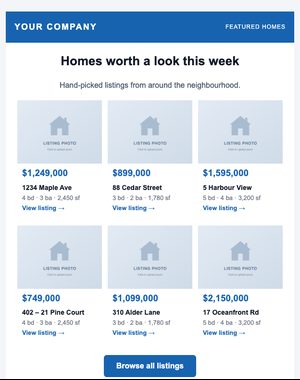
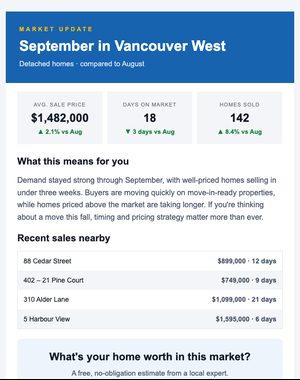
Email campaigns
The designer is built for busy agents, not developers, and everything you make looks right on a phone.
Start from a ready-made real estate design, or a blank canvas.
Your branding is already in it. Change the words and photos, and drag in blocks such as listing cards or an agent card.
Send to one or more lists, a tag, or a segment that updates itself.
Send yourself a test. A checklist flags leftover sample text and photos, a missing subject or sender, and an empty audience.
Send now, or pick a date, time and timezone. Cancel before it starts, or pause it part-way through.
Audience targeting
A listing in one neighbourhood isn’t news to everyone. Segments match all or any of your rules on name, company, city, province or state, country, source, date added, list, tag, contact type and pipeline stage, and they update themselves as your contacts change.
“city is Burnaby AND contact type is Buyer”
“pipeline stage is Past client”
“contact type is Referral partner”
a list or tag your signup form adds them to
Campaign management
Pick a date, time and timezone. Cancel a scheduled campaign before it starts, or pause one part-way through.
Send two subject lines to part of your list, and the one more people open or click goes to the rest automatically.
Welcome series and timed follow-ups that send themselves, and stop when someone clicks the link you care about.
Reporting
Open rates are useful. Knowing which buyers clicked the floor plan is better.
Delivered, opened, clicked, unsubscribed, bounced and spam reports for each campaign.
An hour-by-hour chart of when people opened and clicked.
Which links were clicked and by how many people: the showing button, the floor plan or the video tour.
Filter recipients by what they did, export the list, and call the people who clicked first.
Counts are people, not repeat opens, and clicks by email security scanners are left out.
Your bounce and complaint rates over the last 30 days, measured against safe limits.
Deliverability
Campaigns go out through Amazon Simple Email Service.
Every account sends from OneHive Mail’s sending domain with SPF, DKIM and DMARC, under your business name.
The one-click unsubscribe Gmail and Yahoo ask bulk senders for.
If bounces or spam reports climb above safe limits, sending pauses until we review it with you.
Email templates
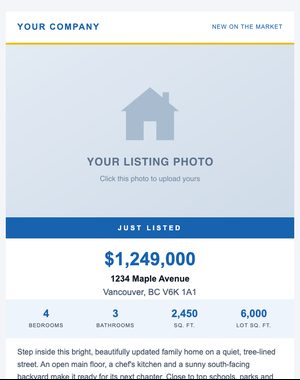
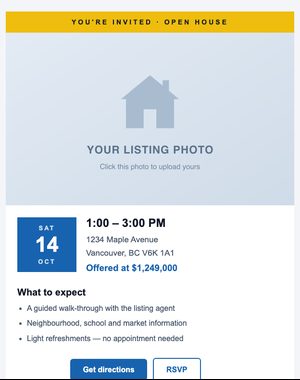
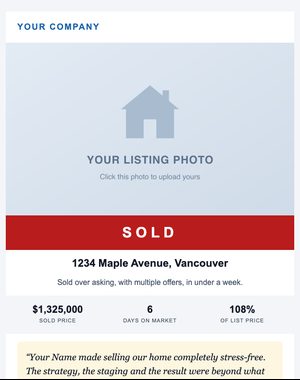
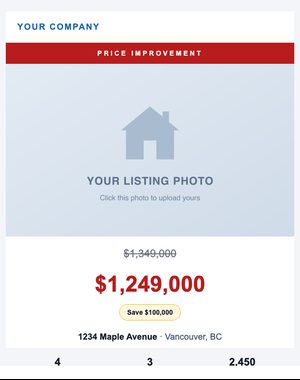
188 ready-made designs, with your branding filled in automatically.
Questions
Each plan includes ten times its contact limit in email sends every month: 10,000 sends on the 1,000-contact plan, for example. Email add-ons are available on paid plans if you need more.
No. Every import confirms that the contacts agreed to hear from you and that the list wasn’t bought or scraped, and you record how each person consented. Email sent with permission also reaches more inboxes.
Yes. Add first names and other details with a fallback, like “Hi {{first_name|there}}”, so nobody sees a blank.
Yes. Send two subject lines to part of your list; after the wait you choose, the one more people opened or clicked goes to everyone else automatically.
Yes. Edit the code directly if you prefer, and fine-tune the plain-text version too.
More ideas: Real estate email marketing ideas for agents · Write emails people open and click
Try it with the 10-day free trial: up to 100 contacts and 250 email sends. Plans start at $25 USD/month, priced by your active contacts.