Just Listed
Just Listed email templates
A Just Listed email is often the first time your buyers, neighbours and past clients hear about a new property. These designs put the best photo, the price and the key facts first, with one clear button to book a showing. The Coming Soon designs let you build interest while the listing is being prepared.
The Just Listed designs
-
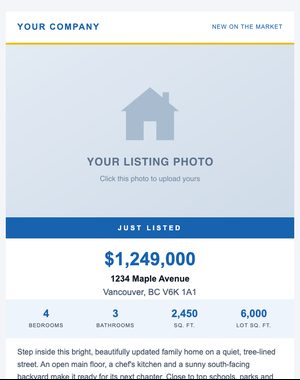
Classic
Announce a new listing: hero photo, price, key stats, and a book-a-showing button.
-
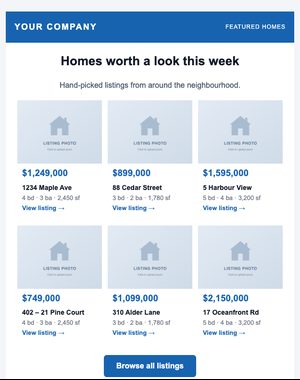
Featured Listings
A grid of featured homes, three across (stacking on phones), with prices and details.
-
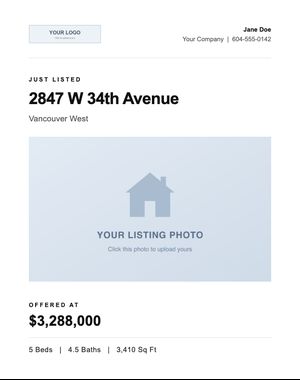
Modern Minimal
Quiet, typographic new-listing announcement with a single inset photo and an inline attribute line.
-
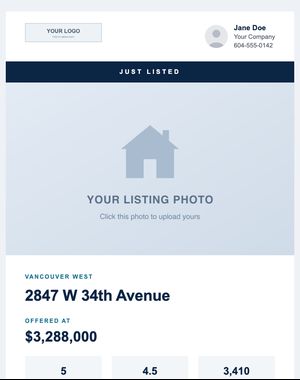
Property Grid
Full-width hero, attribute tiles and a 2×2 photo gallery with a highlights list.
-
Luxury Showcase
High-end dark presentation: full-bleed photo, serif type, gold accents, gallery and property facts.
-
Hero Photo
Just Listed email with a full-width photo, price, key stats and a showing button.
-
Photo Gallery
Just Listed email with a hero photo plus a five-photo gallery.
-
Video Tour
Just Listed email with a video thumbnail with a play link, stats and a showing button.
-
Classic
A dark, minimal teaser to build early interest before a listing goes live.
-
Hero Photo
Coming Soon email with a full-width photo, price, key stats and a showing button.
-
Photo Gallery
Coming Soon email with a hero photo plus a five-photo gallery.
-
Video Tour
Coming Soon email with a video thumbnail with a play link, stats and a showing button.
Previews show sample content. Your own name, photo, logo and contact details replace it when you use a design.
When to send it
- Send a new listing to the buyers it suits, using a segment such as “city is Burnaby AND contact type is Buyer”.
- Let homeowners nearby know: a new listing on their street is news, and a natural reason to talk about their own home.
- Give past clients and referral partners an early look before the first open house.
- Follow a Coming Soon teaser with the full announcement once the listing is live.
Tips for a better response
- Lead with the strongest photo and the price. On a phone, the first screen decides whether people keep reading.
- Give the email one job, such as “Book a showing”, and check the button in a test send before it goes out.
- Check your board’s or MLS® system’s rules before advertising a property that isn’t on the MLS® yet; many markets in Canada and the US restrict “coming soon” marketing.
- Advertising rules usually require your brokerage’s name. The footer adds the business name, mailing address and licence details you set once.
Make it yours in minutes
Your saved branding replaces the sample name, photo, logo and contact details as soon as you pick a design. Change the words and photos, drag in or remove sections, and personalise the greeting with each contact’s first name. Preview it on a phone, send yourself a test, and send it now or schedule it.
- Every block editable
- Compliance footer added automatically
- Opens and clicks reported per email
Related templates
- Just Sold Share a result with the neighbourhood, celebrate selling over asking, or announce a deal under contract. See the designs
- Open House Invitations with the date and time up front, weekend tours with several stops, private showings and a recap for afterwards. See the designs
- Price Reduction Show a new price clearly, with the old price struck through, a before-and-after layout or a back-on-market alert. See the designs
Try these designs with your own branding
Try it with the 10-day free trial: up to 100 contacts and 250 email sends. Plans start at $25 USD/month, priced by your active contacts.