Real estate newsletters
Real estate newsletter software for agents
Create a professional real estate newsletter from a ready-made design, fill it with your listings, market numbers and local news, and send it to the right people every month.
Newsletter designs
Start every issue from a finished design
17 newsletter designs, from a monthly agent newsletter to neighbourhood spotlights, home-care checklists and seasonal hellos, plus 15 market update designs. Your name, photo, logo and contact details fill in automatically.
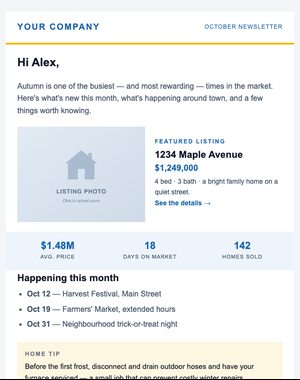
Agent Newsletter
A friendly monthly newsletter: intro, featured listing, market snapshot, local events, and a home tip.
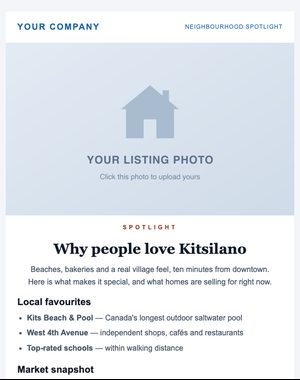
Neighbourhood Spotlight
Show off a neighbourhood: local favourites, market snapshot and homes for sale nearby.
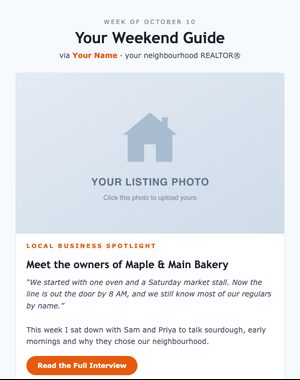
Weekend Guide
A friendly weekly community newsletter: local business spotlight card and a weekend events list.
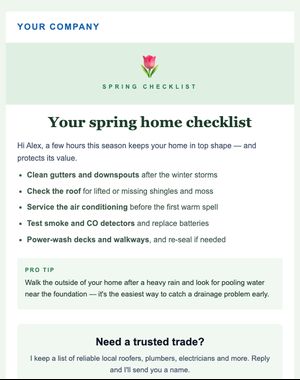
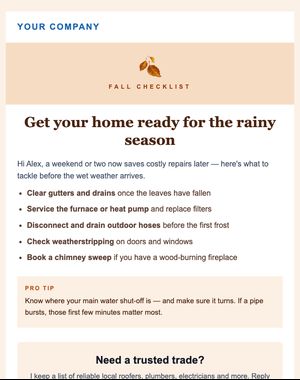
Spring Checklist
Five spring maintenance jobs, a pro tip, and an offer to recommend trusted trades — useful, not salesy.
What to include
What goes into a good real estate newsletter
A newsletter earns its place in the inbox by being useful even to people who aren’t moving this year. A simple structure that works:
A short personal note
Two or three sentences from you: what you’re seeing, what you’ve been up to, or a question for your readers.
A market snapshot
A few headline numbers for your area, with the source and the period they cover, and a sentence on what they mean.
Listings or recent sales
One featured listing or a short list of recent sales. Enough to show you’re active, not a catalogue.
Something local
A neighbourhood spotlight, an event, a new café or a trusted tradesperson. The part people forward to friends.
A useful tip
A seasonal maintenance job, a mortgage term explained, or what to fix before selling.
One next step
A single button: a home valuation, a call, or a reply. Newsletters with one clear ask are easier to act on.
How it works
Create and send a newsletter in one sitting
Ready-made sections
Drop in a hero photo, price and address, property stats, listing cards, an agent card or a call-to-action box.
One style for the whole email
Set the font, colours, backgrounds and width once, and every block follows.
Personal touches
Add first names with a fallback, like “Hi {{first_name|there}}”.
Desktop and mobile preview
See how each issue looks on a phone before it goes out.
Reuse your layout
Save an issue as your own template and start next month’s from it.
Schedule each issue
Pick the date, time and timezone, and it sends itself.
Who gets it
Your whole database, or just the right part of it
Send each issue to everyone, or to a segment: homeowners in one city, buyers, or everyone in your “Past client” stage. People who unsubscribed, bounced or reported spam are left out automatically, and every issue carries your compliance footer and a one-click unsubscribe.
- Segments on city, contact type, tags, lists and pipeline stage
- Test two subject lines on part of your list
- Opens, clicks and link-by-link results for every issue
- Consent records for every contact
Questions
Real estate newsletter questions
How often should I send a real estate newsletter?
As often as you can keep it useful. Monthly is a common rhythm because it’s regular enough to be remembered and manageable on top of client work. Consistency matters more than frequency.
Can homeowners and buyers get different versions?
Yes. Send one issue to a segment of homeowners and another to buyers, or add a section for each and send separate copies. Segments can use contact type, city, tags, lists and pipeline stage.
Do newsletters include the legal footer?
Yes. Your business name, mailing address and licence details, plus an unsubscribe link, are added to every campaign automatically, outside the design, so they can’t be deleted by accident.
Can I see what people clicked?
Yes. Each issue has a report with opens, clicks, link-by-link results and the people who clicked, so you know who to follow up with.
Read next: Real estate email marketing ideas for agents
Send your first newsletter this month
Try it with the 10-day free trial: up to 100 contacts and 250 email sends. Plans start at $25 USD/month, priced by your active contacts.